Personal Security Fundamentals: Part 1

Security is no joke. There are constant threats against our businesses, schools, governments, and individuals. Therefore, it's important to understand the basics of how to stay secure in the digital world we live in.
Background
This post has been an idea of mine for years, but with winter weather on the way to Ohio and a quiet afternoon, I'm finally setting out to write it. I have had friends, colleagues, family members, and complete strangers who have asked me about security essentials, and while security is only good until threats against that security overcome the defenses, there are several steps to reduce the likelihood of security issues that people commonly find.
Why This Actually Matters
A question I frequently get is "Why does this actually matter?" That's a very fair question to ask. After all, for the average individual, most of what they do online doesn't matter. However, it is often what someone does on a website that doesn't matter that can often be the easiest point of entry for a cybercriminal. Here's an example of how this can escalate quickly:
- Someone signs up for an account on funpicturesofdogs.com
- When asked for a password, the password as funpicturesofcats.com is used.
- Sadly, the funpicturesofdogs.com website is hacked. Your password is exposed.
- The hacker now has your password for funpicturesofcats.com, and since your email address for both ends in "@gmail.com", the hacker knows that they can try to use the email and password from both websites to access your email.
This is a very simple example, with relatively low-impact websites (besides the joy of seeing fun pictures of dogs and cats), but the escalation can and will happen quickly. The riskier websites have started to adopt things like Multi-Factor Authentication (also known as 2FA, MFA, one-time passwords/codes), but with enough effort, even those systems can be inherently flawed.
The most important part of establishing proper personal security involves having a strong foundation from which to build up your security defenses. Let's dive into what that strong foundation for personal security looks like.
A crash course on passwords
It's nearly impossible to talk about personal security without talking about passwords. Originally proposed as a simple way to authenticate users, they are now a basic form of restricting access to systems. They can take many forms, from door codes to numeric and alphanumeric keys for unlocking devices, granting access to networks, and changing settings. The longer the password, the more secure it is. This is because the number of combinations increases substantially. Here are a couple of examples:
| Length of Password | Valid Characters | Possible Combinations | Probability of Correct Guess | |
|---|---|---|---|---|
| Door Lock | 4 | Numeric (0-9) | 10000 | 0.01% |
| Simple Password | 6 | Alphanumeric, case-insensitive | 2176782336 | 0.000000046% |
| Complex Password | 8 | All printable ASCII characters | 6.63 quadrillion | 1.508 × 10⁻¹⁴% |
Here it is possible to see that, on the surface, even a password of 8 characters is pretty hard to guess. However, the issue with these numbers is that humans are creatures of habit, and the above probabilities change significantly when the combinations are limited to common words and phrases. Here's how the above tables changes:
| Length of Password | Valid Characters | Possible Combinations | Probability of Correct Guess | |
|---|---|---|---|---|
| Door Lock | 4 | Numeric (0-9) | ~100 | 1% |
| Simple Password | 6 | Alphanumeric, case-insensitive | ~10,000 | 0.01% |
| Complex Password | 8 | All printable ASCII characters | ~1,000,000 | 0.0001% |
Assumptions:
- Door Lock: Based on research from DataGenetics analyzing leaked PIN databases, the top ~100 PINs (including 1234, 0000, 1111, birth years like 1990–2005, and patterns like 2580) account for a disproportionate share of real-world usage.
- Simple Password: Assumes users choose from approximately 10,000 common English words or name/number combinations (e.g., "mike123", "football", "dragon") that frequently appear in password breach analyses.
- Complex Password: Based on the rockyou.txt breach database and similar leaks, approximately 1 million distinct passwords cover the vast majority of real-world "complex" passwords people actually use, including common substitutions like "P@ssw0rd!" and "Welcome1".
This makes it abundantly clear that, when choosing a password, using a common password or a variation of other passwords is not a good idea.
The solution to bad password security
As more people begin to understand the risks with choosing similar passwords, an increasing number of people keep trying to write down various password combinations. In fact, my grandmother used to write down passwords in a format like Xxxxxxx# to indicate that the password had a capital letter at the beginning, letters for the entire password, and a number at the end. I didn't factor this structure of password into the adjusted probabilities above, but I can't imagine they help all that much. This is the driving force behind much of the password paranoia that exists today.
To fix this, passwords should be truly random and only used in one place.
Looking back at the earlier example on how a cybercriminal gained access to funpicturesofcats.com, if there were different passwords between the two websites, the hacker would not have had any access to funpicturesofcats.com or the victim's Google account.
So we've established that having strong, unique passwords used only on one website at a time is helpful, but how do we keep track of everything? Journals and notebooks are helpful, as are notes apps, but they aren't secure and can be stolen, hacked, and compromised in a number of different ways. Similar to transporting gasoline, passwords need to be handled carefully to protect yourself and others, so in this case, we need a special way to store passwords. Enter password managers.
What is a password manager?
A password manager, at its core, is a secure location for storing passwords and other sensitive content. Usually, password managers will have a way to store secure notes, government IDs (such as social security numbers), and depending on the service, some also provide secure file storage or sharing services. I personally recommend Bitwarden for the reasons listed on their website, as well as my personal experience with several different password managers over the last 10 years. You can read more about what they offer, most of which is free to use, below.
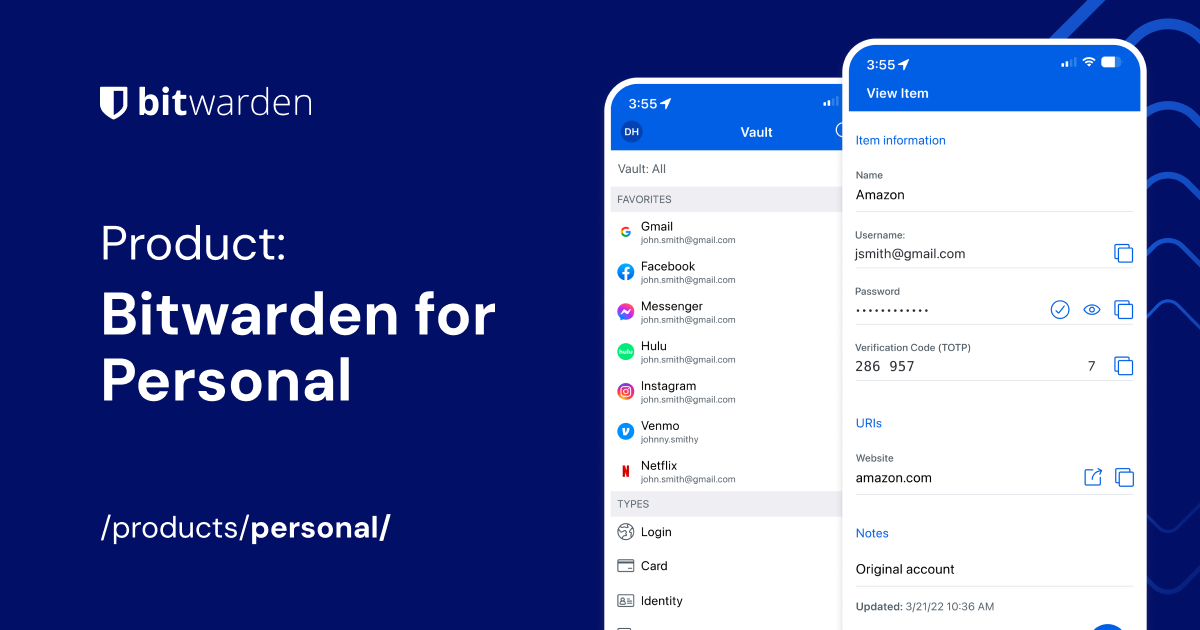
You can read more about why Bitwarden is a good password manager by looking at the website for their personal password manager offering.
It's free to create an account, and I highly recommend taking a look at things and familiarizing yourself with a system like this as you add more passwords to it. Additionally, it's possible to import passwords from a number of leading password managers, but they don't have the foundation that Bitwarden is built on.
If you have 30 minutes, I highly recommend going through the tutorial video playlist by Bitwarden, available on YouTube. All of the videos except one are under five minutes in length, so it should be pretty easy to digest, rewatch videos, and understand how to improve the security of your personal life.

Watch this as you get started with using Bitwarden as a password manager.
As I start to put more effort and intentionality into my blog, I look forward to talking more about other aspects of personal security. Password managers are a great place to start, and if you have $10/year, Bitwarden Premium is well worth your time to access reports of exposed passwords, support continued development of the software, and invest a very small amount of money in stronger personal security.
Feel free to reach out to me if you have any questions or would like any specific guidance, and I look forward to sharing more in the near future!
Sancte Carole Acutis, ora pro nobis!